The right clipper depends on your workflow. The most popular advice in this category usually overweights one flashy AI promise, usually highlight detection, and underweights everything that happens after the moment is found. For streamers, that’s backwards.
The best AI clipping tool isn’t the one that finds a few decent moments in a vacuum. It’s the one that fits your whole stream-to-shorts system: scanning long VODs, showing you why a moment is worth keeping, reframing gameplay and facecam for vertical feeds, adding captions and brand controls, then publishing on a schedule you can maintain. That end-to-end view matters even more now that short-form video reportedly takes 58% of social media time and ranks first for ROI for 49% of marketers, according to Kapwing’s 2026 short-form video roundup.
That’s why this ranking doesn’t just score clip detection. It separates discovery, editing, publishing, platform support, and workflow fit for solo creators, agencies, and esports teams. If you’re also comparing broader creation stacks, you can find the right AI generator before you settle on a clipper.
Table of Contents
- 1. StreamGen
- 2. Eklipse
- 3. Streamlabs Cross Clip
- 4. StreamLadder
- 5. Framedrop
- 6. Powder
- 7. OpusClip
- Top 7 AI Clipping Tools Comparison
- Choose the Tool That Matches Your Publishing Model
1. StreamGen
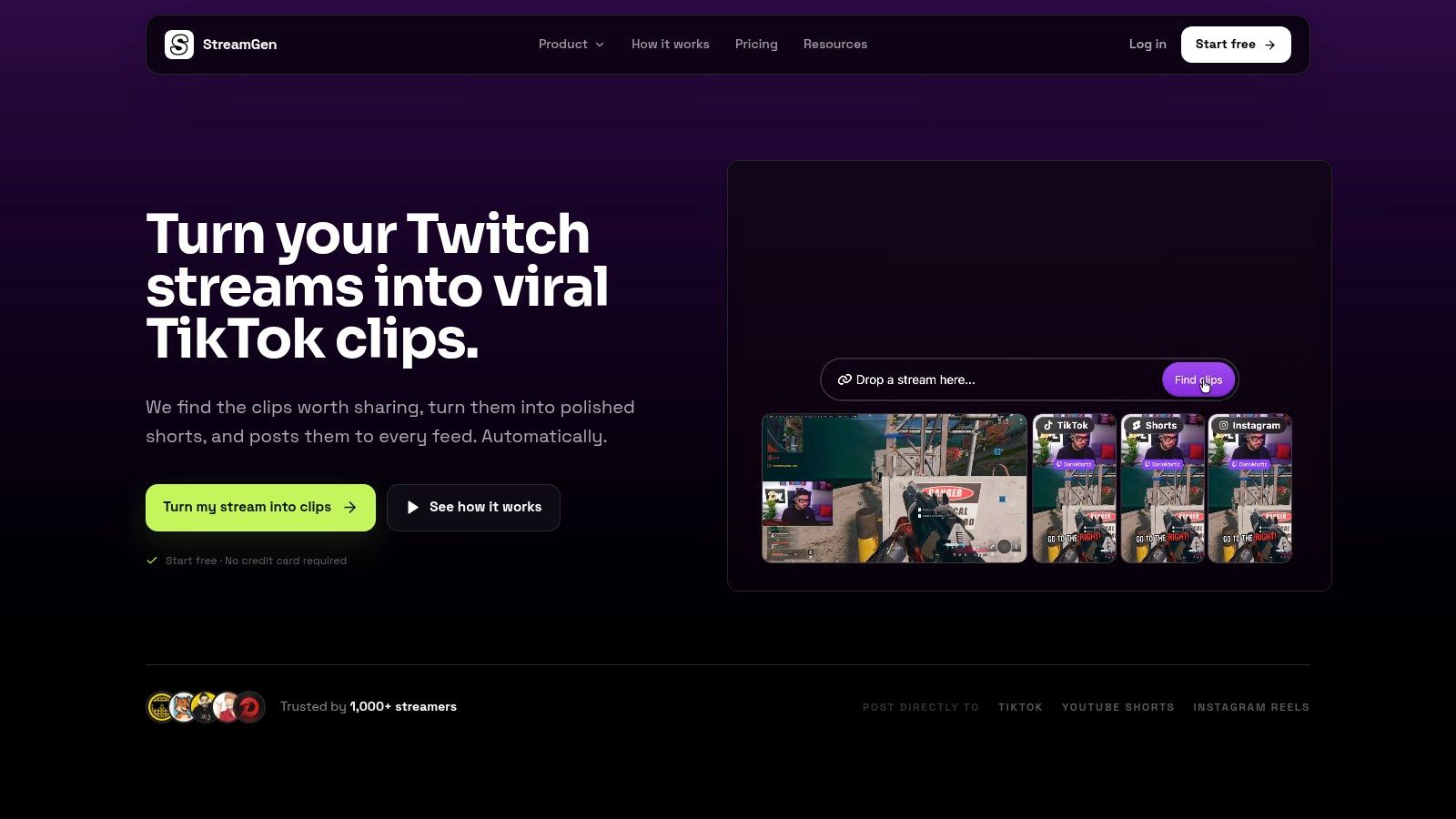
A lot of AI clipping tools look impressive in demos because they can surface a few exciting moments. That is not the hard part for creators who publish consistently. The harder problem is turning long streams into reviewable candidates, editing them for vertical feeds, exporting clean files when needed, and keeping a posting schedule alive without adding more manual steps. StreamGen ranks first here because it covers that full chain better than the rest of this list.
Its edge starts at discovery. StreamGen analyzes full VODs rather than relying mainly on manual timestamps or isolated clip uploads, and it uses more than one signal to decide what deserves attention. Gameplay changes, audio intensity, on-camera reactions, and chat-aware context all feed into the clip-finding step, which makes it better suited to long Twitch sessions and event-style streams where the best moments are buried deep in the archive.
That matters because discovery quality is only one part of workflow fit.
- Automated discovery: Strong fit for full-session scanning, especially for creators working from long VODs instead of pre-selected moments.
- Editing: Vertical reframing, animated captions in 90+ languages, silence removal, title generation, word censoring, and reusable brand presets are built into the browser editor.
- Publishing: Direct posting to TikTok, YouTube Shorts, and Instagram Reels reduces the download and re-upload cycle that slows down repeat publishing.
- Professional exports: The AI VOD Editor beta supports pre-edited handoff to DaVinci Resolve and Premiere Pro, which matters for teams that still want a finishing pass outside the browser.
- Workflow fit: Strongest for solo creators who need automation, but it also makes sense for agencies and esports organizations that want one system for discovery, editing, review, and distribution.
The trade-off is clear. StreamGen is strongest for buyers who value system efficiency over a lightweight clip-only experience. If you only need occasional social cuts from short source files, some simpler tools later in this list may feel faster. If you are processing recurring VODs and care about output volume, brand consistency, and direct posting, the integrated setup is more useful than a tool that stops after highlight detection.
That workflow-first position also lines up with where the category is heading. Kompozy’s 2026 tool field guide notes that creators increasingly want tools that connect finding, editing, and publishing rather than solving only one step. StreamGen is one of the few products in this ranking that is clearly built around that broader job.
One more distinction matters. StreamGen does not force a choice between automation and editorial control. Autopilot helps creators maintain output, while browser editing and pro-export paths still leave room for manual judgment. For buyers comparing clipping stacks in more detail, StreamGen’s own guide to an AI video clipper for stream-to-shorts workflows explains that model more directly.
2. Eklipse
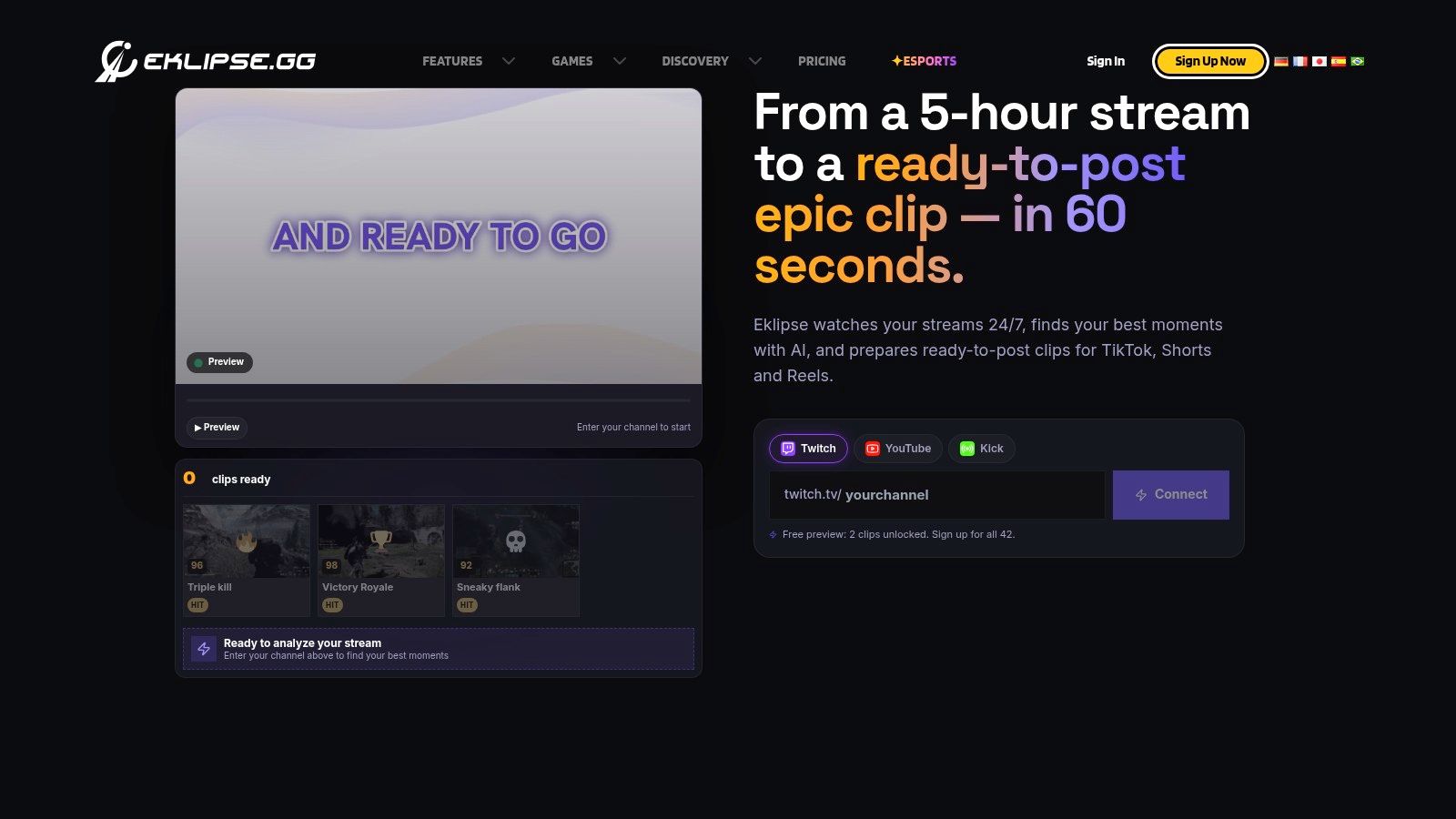
Clipping quality is only part of the buying decision. Eklipse ranks this high because it covers more of the stream-to-shorts chain than simpler clip converters, especially for creators whose real bottleneck is reviewing long VODs and getting usable vertical edits out quickly.
Its strongest category is automated discovery. Eklipse connects to Twitch, Kick, YouTube, and Facebook VODs, scans full sessions for likely highlights, and pushes selected moments into a browser editor built around short-form output. That matters because a tool that finds moments inside multi-hour streams solves a different problem from a tool that only reformats clips you already found elsewhere.
The editing layer is capable, but it is still a light production environment rather than a full editorial system. Vertical reframing, captions, and one-click editing modes help creators publish faster. Buyers should still separate speed from control. Eklipse is better at producing clean social cuts in-browser than at supporting highly customized finishing, detailed review steps, or handoff into a professional post-production stack.
That distinction shows up across the workflow:
- Automated discovery: Strong for streamer use cases. Full-VOD analysis is central to the product, which makes Eklipse more useful than clip-only tools for recurring live content.
- Editing: Good browser-based vertical editing with fast turnaround. Less suitable for teams that need deeper timeline control or more polished creative variation.
- Publishing: Built to move clips toward social-ready output, though it is not as operations-focused as platforms that treat posting, approvals, and output management as first-class features.
- Platform support: Broad enough for multi-platform streamers, with support that aligns well with Twitch-first and gaming-heavy workflows.
- Workflow fit: Best for solo creators and small streamer teams that want AI discovery plus light finishing in one place.
The trade-off is fairly clear. Eklipse makes sense if your bottleneck starts at the VOD and ends at a fast vertical export. It is less convincing for agencies, esports organizations, or in-house media teams that need formal review flows, direct posting depth, or pro-editor export options as part of a larger content operation.
Pricing also deserves closer scrutiny than the product marketing usually gives it. Buyers comparing throughput, limits, and plan differences should review a direct breakdown of Eklipse pricing before treating it as a simple low-friction choice.
One more point affects its ranking. Eklipse benefits from audio and stream-context signals because it is designed for live content, but it does not present itself as the most complete end-to-end publishing system in this list. That is why it sits below StreamGen and above narrower reformatting tools. It covers discovery and quick editing well, but the workflow starts to thin out once a team needs stronger publishing control or more professional downstream finishing.
3. Streamlabs Cross Clip
Cross Clip ranks this high for a specific reason. It covers one stage of the stream-to-shorts workflow well enough that a lot of creators will still use it, even if they rely on another product for discovery.
The boundary matters. Cross Clip does not compete head-on with tools built to analyze full VODs, detect standout moments from chat or audio patterns, or automate clip selection across long broadcasts. Its job starts later. Once a creator, editor, or moderator already has a usable moment, Cross Clip converts that moment into a vertical social asset quickly.
That narrower role changes how it should be judged.
Instead of asking whether it is the smartest AI clip finder, the better question is whether it removes enough friction in the editing and export stage to justify a place in the workflow. For many Streamlabs users, the answer is yes. You can pull in clips from Twitch, Kick, or YouTube, upload your own footage, and use browser-based layouts to reposition gameplay, facecam, and framing for Shorts, Reels, and TikTok.
Its strengths and limitations are easier to see when separated by workflow stage:
- Automated discovery: Weak. If your main bottleneck is searching full streams for high-retention moments, this is the wrong tool.
- Editing and reframing: Good for fast vertical conversion, especially for gaming clips that need simple facecam and gameplay composition rather than detailed scene-by-scene editing.
- Publishing and output: Better for exporting finished assets than for managing approvals, direct posting, or multi-account content operations.
- Platform support: Useful if your source material already lives across Twitch, Kick, YouTube, or local uploads, and you want one lightweight web tool for repackaging.
- Workflow fit: Best for solo creators, moderators, and streamer teams that already solve clip discovery elsewhere. Agencies and esports organizations usually need more control over intake, review, and delivery.
This is also why Cross Clip sits below StreamGen and Eklipse in a workflow-first ranking. Those products do more work upstream. Cross Clip earns its place because many real production stacks are mixed. A team might identify moments natively on Twitch, in Discord, or through another AI system, then use Cross Clip only for reframing and social formatting.
That makes it practical, not complete.
The trade-off is straightforward. Cross Clip reduces time between “we found the moment” and “we have a publishable vertical cut,” but it does little to help with the harder parts of scale: full-VOD analysis, signal-based discovery, batch automation, direct distribution, or professional downstream handoff. Creators who clip selectively and publish fast may find that enough. Teams optimizing the entire stream-to-shorts pipeline usually will not.
4. StreamLadder
The mistake buyers make with StreamLadder is judging it only as an AI clip finder. Its stronger case is broader than that. It covers a meaningful stretch of the stream-to-shorts workflow, especially the last mile from selected moment to published vertical post.
That distinction matters in this ranking. Tools that analyze full VODs, read multiple signals, and surface moments automatically usually rank higher because they remove more manual work upstream. StreamLadder earns its place because it handles more downstream steps than lightweight reformattters do. Browser editing, vertical templates, AI captions, direct posting to TikTok, YouTube Shorts, and Instagram Reels, plus an iOS app, make it more operationally useful than a clip editor judged on formatting alone.
A better way to assess it is by workflow stage rather than by raw clipping quality.
For discovery, StreamLadder is less convincing than platforms built around full-VOD review and AI moment detection. If your team needs to scan long streams using chat spikes, speech, or other engagement cues, this is not the strongest option in the field. The product makes more sense once the candidate moment is already known.
For editing and packaging, the balance shifts. StreamLadder does enough for fast vertical output: reframing, caption styling, and social-ready composition without forcing a desktop edit session. That is useful for solo creators publishing daily, but also for talent managers and moderators who need to turn approved moments into assets quickly from a browser or phone.
Publishing is where StreamLadder separates itself from several mid-tier clipping tools. Direct posting sounds like a convenience feature, but in practice it changes the labor model. Fewer exports, uploads, and handoffs means fewer points where clips stall. For one-person channels, that can be the difference between clipping consistently and letting moments sit in drafts. For agencies or esports organizations, the value is narrower because approval chains, client review, and account governance often matter more than speed alone.
The trade-off is mostly about workflow depth. StreamLadder covers editing and distribution better than discovery and production control. It does not appear aimed at teams that need advanced automation, professional finishing, or clean handoff into a heavier post-production stack. If that comparison is part of your shortlist, this StreamLadder alternative and pricing comparison is a useful way to check where direct publishing outweighs deeper ingestion and analysis.
So the ranking logic is straightforward. StreamLadder fits creators who already have a reliable way to identify moments and want to reduce friction from clip prep through posting. It fits solo operators best, supports mobile-first publishing unusually well, and gives moderate value to small creator teams. It fits agencies and esports operations less well because those groups usually need stronger intake, review structure, and source analysis across full VOD libraries.
5. Framedrop
Framedrop ranks fifth because it handles the front half of the stream-to-shorts workflow better than the back half. That distinction matters more than another round of vague “AI clipper” claims.
Its real advantage is intake and triage. Framedrop can work through long Twitch and YouTube VODs in the browser, surface likely moments, and turn those selections into short vertical clips with captions. For creators who publish from full streams rather than from isolated local recordings, that saves time at the exact stage where manual review usually breaks the workflow.
The Chrome extension reinforces that position. Framedrop feels less like a publishing system and more like a review layer that sits close to the source content. That makes it useful for solo creators who need fast VOD scanning, moderate editing control, and a low-friction way to get from stream archive to draft clip.
A better way to judge Framedrop is by category, not by headline feature:
- Automated discovery: Stronger than simple reframers because it analyzes full VODs instead of waiting for users to mark timestamps manually.
- Signal quality: Better fit for mixed creator content, especially streams that combine gameplay, commentary, reactions, and podcast-style segments. The value is not just visual detection. It is reducing how much footage still needs human review.
- Editing: Solid for trimming, subtitles, compilations, and vertical formatting. Weaker if you need polished finishing, layered motion design, or export standards built for client delivery.
- Publishing: Limited compared with tools that include direct posting or broader queue management. Framedrop prepares clips well, but it is not the center of a multi-account publishing operation.
- Workflow fit: Best for solo streamers and creator-editors. Less convincing for agencies and esports organizations that need approvals, account governance, or a more formal handoff into pro editing tools.
That ranking logic also explains why Framedrop sits below tools with stronger end-to-end coverage. A clip that is found quickly still has to be resized cleanly, exported in the right format, and pushed into a repeatable publishing system. Framedrop covers discovery and basic edit preparation well. It covers distribution and operational control less well.
Short-form demand makes that gap easy to miss. As noted earlier, YouTube Shorts now operates at a scale large enough that clip discovery alone is not the whole buying decision. Teams that publish occasionally can accept a browser-first review tool. Teams running a daily shorts pipeline usually need more: stronger automation, better vertical reframing controls, direct posting, or cleaner exports for downstream editors.
So Framedrop is a good pick if your bottleneck is finding moments inside long VODs. It is a weaker pick if your bottleneck starts after the clip is identified.
6. Powder
Powder ranks sixth because it solves a narrower problem than the tools above it. It is built for gaming capture and highlight extraction on PC. If your workflow starts with local gameplay recording and ends with exported clips, that focus can be useful. If your workflow depends on full-VOD review, team collaboration, direct posting, or a repeatable multi-account publishing system, the limits show up quickly.
That distinction matters in this list because the ranking is based on the full stream-to-shorts chain, not clip detection alone.
Powder performs best at the discovery layer for gameplay-heavy sessions where good moments are tied to action, reactions, and live energy rather than clean spoken segments. In practice, that makes it a better fit for ranked matches, shooter highlights, and creator setups where the gaming PC is the production hub. It is less convincing for organizations that need to analyze long archives centrally, compare candidate moments across editors, or route clips into an approval process.
A simple way to assess Powder is by separating the workflow into five parts:
Automated discovery. Stronger for gameplay-led moments than many general repurposing tools. Its orientation toward gaming signals is the reason it makes this list.
Editing. Good enough for turning detected moments into usable short clips, but not built around the deeper finishing controls or handoff standards that client-facing teams usually want.
Publishing. Weaker than platforms that include direct posting, scheduling, or broader social queue management.
Platform support. Best on PC-centric setups. That immediately narrows its fit for Mac-based teams or mixed-device operations.
Workflow fit. Best for solo gaming creators. Harder to justify for agencies, social teams, and esports organizations that need shared review, governance, and a clearer path from clip selection to distribution.
That profile explains the ranking. Powder can save time at the moment-finding stage, but this article puts more weight on how well a tool handles the full path from long stream to published short. Tools like StreamGen and Eklipse place higher because they cover more of that path in one system. Powder is more specialized. For the right user, that is an advantage. For buyers evaluating end-to-end clipping operations, it is a constraint.
7. OpusClip
If your ranking starts and ends with clip detection, OpusClip places higher. If the ranking measures the full stream-to-shorts pipeline, it lands here for a reason.
OpusClip is one of the more complete repurposing systems in this group. It can scan long videos, score likely moments, generate hooks, produce vertical cuts, add animated captions, and on higher plans support scheduling, direct posting, and exports for professional editors. That combination matters for teams handling podcasts, interviews, webinars, and educational content from a single workspace.
The trade-off is in how it finds moments. OpusClip is stronger when the source is speech-led and transcript-rich. It is less reliable when the clip depends on live chat, game-state context, overlapping speakers, or the split-second timing that makes stream highlights work. That distinction matters more than its polished output.
A practical way to judge OpusClip is by where it adds value across the workflow, and where it still asks the operator to compensate:
Discovery from full VODs: Good for long-form spoken content. Weaker for streams where the best moments come from crowd reaction, audio spikes, or game events that are not obvious from the transcript alone.
Editing and reframing: Strong. Vertical reframing, captioning, and packaging are more mature than in several streamer-first tools. If your team cares about turning one long asset into many finished shorts quickly, this is one of OpusClip’s better arguments.
Publishing and automation: Better than clip finders that stop at export. Direct posting and scheduling move it closer to a real distribution workflow rather than a detection utility.
Professional handoff: Also stronger than average here. Export options make more sense for agencies or in-house editors who need to finish clips outside the platform.
Workflow fit: Best for cross-format teams. Less compelling for stream-native operations that want chat-aware discovery, gaming context, and review flows built around live content.
That is why OpusClip finishes seventh instead of higher. The product is broad, but this list gives extra weight to stream-specific signal quality across the entire workflow, from full-VOD analysis through publishing. On that measure, tools such as StreamGen and Eklipse fit livestream clipping more closely, even if OpusClip offers a wider repurposing stack for general video teams.
For solo creators working from talking-head streams, podcasts, or educational live sessions, OpusClip can still be efficient. For agencies repurposing many client formats, it may cover more of the pipeline than streamer-only tools. For esports organizations, the gap is clearer. Highlight selection often depends on game context, pace shifts, team comms, and audience reaction, not just what was said on screen.
Top 7 AI Clipping Tools Comparison
| Tool | 🔄 Implementation complexity | ⚡ Resource requirements | ⭐ Expected outcomes | 💡 Ideal use cases | 📊 Key advantages |
|---|---|---|---|---|---|
| StreamGen | Low–Medium, browser-based editor + optional Autopilot | Minimal local resources; generous free tier; paid plans for higher limits | ⭐ High, rapid, platform-native vertical clips; consistent multi-platform cadence | Creators who want end-to-end automation from clip finding to posting | All‑in‑one workflow: AI clip finder, vertical reframing, Auto Posting, NLE export |
| Eklipse | Low, browser editor with one‑click AI Edit | Browser + account; pricing shown at checkout | ⭐ Good, fast highlight detection with finished one‑click edits | Streamers who want quick, near-finished highlights without heavy manual edits | Purpose-built streamer workflows, multi‑platform support, AI Edit mode |
| Streamlabs Cross Clip | Very low, lightweight web formatter | Minimal; optional Pro to remove watermark and boost export quality | ⭐ Moderate, fast reframing and exports (no automated highlight discovery) | Users needing quick conversion/reframe of known clips for Shorts/Reels/TikTok | Simple, fast reframe templates; integrated with Streamlabs ecosystem |
| StreamLadder | Low–Medium, browser editor + mobile app and publisher | Browser + iOS app; free tier for basics, paid tiers for advanced features | ⭐ Good, solid in‑browser edits and direct posting capabilities | Creators who want mobile editing and direct social publishing | Content Publisher, AI captions, mobile iOS app, generous free plan for basics |
| Framedrop | Low, browser tools + Chrome extension for quick workflows | Browser/extension; pricing less prominent (check in‑app) | ⭐ Good, fast highlight labeling across gaming and talk formats | Creators who want quick selection workflows and extension shortcuts | Fast highlight detection, multi-format support, browser/extension convenience |
| Powder | Medium, Windows desktop app with local capture & AI | Windows PC (local capture); available on Steam; may need decent hardware | ⭐ High (gaming), strong in‑game event detection and real‑time clipping | PC gamers who prefer local capture and automated highlight generation | Local/real‑time capture, strong game event detection, minimal gameplay impact |
| OpusClip (Opus.pro) | Low–Medium, web automation with NLE export on paid tiers | Cloud/web; free tier limited (watermark), credits/paid tiers for pro features | ⭐ High, automated virality scoring, vertical reframes, scheduler/posting | Creators seeking zero‑to‑clip automation plus scheduler and NLE exports | Virality Score, automated hooks, multi‑aspect outputs, scheduler and NLE export |
Choose the Tool That Matches Your Publishing Model
The right choice depends less on brand popularity and more on how your content operation runs. A solo streamer usually needs one thing above all: a system that turns long sessions into a repeatable post queue without adding another job. That favors tools that combine discovery, vertical editing, captions, and direct publishing in one place. If you’re clipping after every stream and posting across several channels, simplicity beats theoretical flexibility.
Agencies need something different. They need brand consistency, reusable presets, approval-friendly workflows, and enough publishing structure to manage multiple clients without rebuilding the same process every week. In that context, the best AI clipping tool isn’t necessarily the one with the most aggressive automation. It’s the one that creates repeatable output and reduces handoffs between editor, strategist, and publisher.
Esports organizations should be stricter than either group. They often work with long VODs, multiple speakers, sponsor obligations, and a need to preserve visual context from gameplay, cams, overlays, and team branding. For them, full-VOD handling, review control, professional exports, and operational flexibility matter more than one-click novelty. A browser-only workflow may be enough for social recaps, but not always for campaign-level content.
There’s also a larger market signal behind this shift. Short-form video advertising spend is described as surpassing $10 billion in 2025, and another 2026 roundup says ad spending on short-form video could reach $1.04 trillion in 2026, according to The Global Statistics market roundup. Even if those figures come from different source sets, they point in the same direction. Teams are building around short-form distribution at scale. Clipping is becoming infrastructure.
Test with your real footage, not a polished demo file. The tool that looks smartest on a landing page can fail badly on your actual stream format.
Before you commit, run one representative VOD through your shortlist. Inspect the detected moments. Check whether the vertical framing preserves both gameplay and facecam. Review the captions for slang, names, and in-game vocabulary. Confirm plan limits, especially if you work with long streams or multiple channels. Then complete one full publishing cycle, from ingest to posted short. That single test will tell you more than any feature grid.
If you also want a broader take on how clipping fits into the AI video stack, this overview of WaveGen.ai on AI video generators is a useful companion read.
StreamGen is built for the exact problem this list keeps circling back to: turning long Twitch streams into publishable short-form content without bouncing between separate tools. If you want one workspace for clip discovery, vertical editing, scheduling, and optional hands-off automation, visit StreamGen and test it on a real VOD.
More blog posts