FIND
AI watches the whole stream
StreamGen analyzes every minute of your VOD and surfaces the moments people will actually want to watch.
 Introducing clipoven, the agentic clip editor
 We find the clips worth sharing, turn them into polished shorts, and posts them to every feed. Automatically.
Start free · No credit card required


Trusted by 1,000+ streamers
MADE WITH STREAMGEN
Real Twitch moments, reframed and ready to stop the scroll.
ONE STREAM. A WEEK OF CONTENT.
StreamGen analyzes every minute of your VOD and surfaces the moments people will actually want to watch.
Turn highlights into vertical shorts with smart layouts, animated captions, silence removal, and your own style.
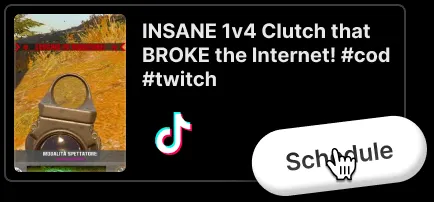
Schedule and publish clips to TikTok, YouTube Shorts, and Instagram Reels from the same workspace—without downloading a thing.
Add a Twitch VOD and let AI scan the gameplay, your reactions, and the conversation to rank the strongest clips.
Crop for vertical, keep facecam and gameplay in frame, add animated captions, remove dead air, and finish with a scroll-stopping hook.
Connect your channels once. Schedule a full content queue and publish straight to TikTok, YouTube Shorts, and Instagram Reels.


You are in good company
I've had a fantastic experience with StreamGen! I've been using it for a while now, and all my clips were made with it.
Super handy, in just a few minutes I have shorts ready to publish. A must have for every content creator!
I immediately fell in love with StreamGen. It saves you a lot of time while producing dozens of clips ready to use on all socials!

I’ve tried other tools and none of them have performed as well as StreamGen. It has made being a Twitch streamer and working a full time job possible! Now I review the highlights it caught, make any edits I wish, and then upload to my TikTok and YouTube!

It has everything I need in one place. It finds the best moments from my streams, adds captions, removes silences and even censors words when I need it to. I love how easy it is to format clips for TikTok and YouTube Shorts. Instead of spending hours editing, I can focus on streaming while StreamGen handles the rest.
Between a full time job and streaming I barely have any time to create short content to upload on other platforms. StreamGen helped me out by increasing the number of quality shorts I can produce every week! The short editor is my favorite tool.
FAQ
StreamGen is an AI-powered clip generator and clip editing platform for streamers. It automatically finds viral moments from Twitch streams and transforms them into engaging YouTube Shorts, TikTok videos, and social media content.
With StreamGen you get AI Clipping, Clip Editing and
Post Scheduling. All from €8/month. Simple as that.
StreamLadder has weaker and much more expensive clipping technology
(+€50/month!) and all the good AI features from their clip editor
are locked behind their most expensive tiers (€15/month). Here's the comparison.
Our models look at your chat and audio to find clip worthy
moments.
With Ultimate, you can tweak our clipping engine by
describing what makes your clips funny and engaging.
This will result in even better clips tailored to your specific preferences!
Learn more on how the ai clip generator works.
Any type of stream is supported: gaming, just chatting, roleplaying, playthrough...
Yes, you can censor words from captions or audio. You can do it manually or automatically with our AI Word Cernsoring model.
Yes, you can customize captions as you want. Our clip editor is complete and powerful, we have dozens of predefined styles and effects, but you can change anything you like! Check all the features of our clip editor.
Yes, there is a generous free version of StreamGen that offers almost all the features with lower limits. Check out our pricing page to know more about the available plans.
Yes, you can directly import Twitch clips or video files. You can even create manual clips from your Twitch broadcasts directly within StreamGen.
You can easily edit Twitch clips for TikTok with StreamGen. Simply paste your clip URL or connect your Twitch account, and our AI will help you convert it into a vertical video with captions in seconds. Check out our Twitch Clip Editor for TikTok.
An AI stream clipper is a tool that uses artificial intelligence to automatically scan your stream replays (VODs) and identify funny, exciting, or important moments. It then creates clips for you, saving you hours of manual searching. StreamGen is the ultimate automatic clip maker for Twitch.
You can use StreamGen's AI VOD Editor. It automatically analyzes your stream and removes silence, loading screens, and menu navigation, leaving you with an engaging video ready to be edited in Premiere Pro or DaVinci Resolve.
YOUR NEXT STREAM IS CONTENT
Find, edit, and post your first AI clips with StreamGen.
Start creating for freeNo credit card required


