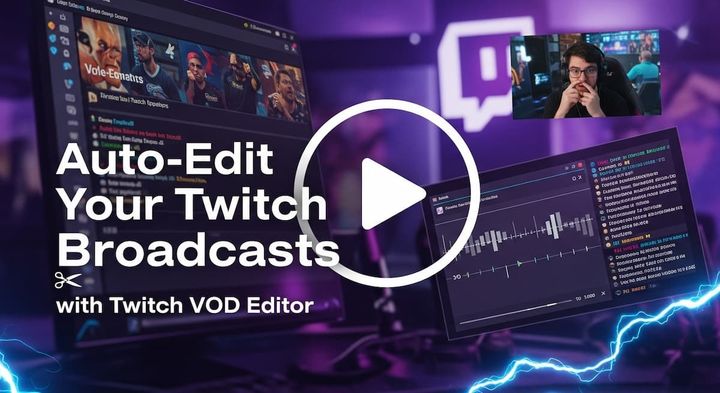
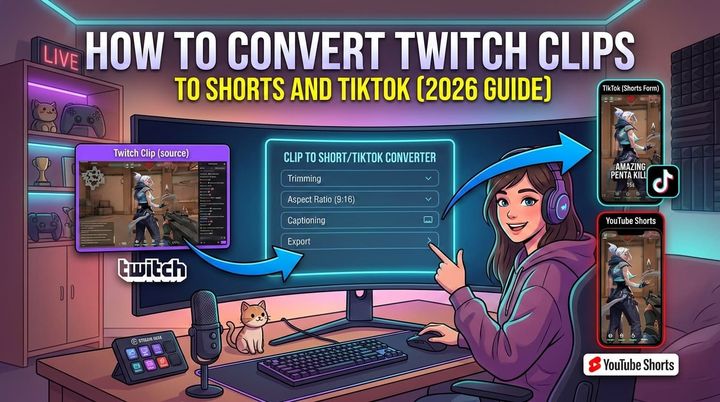
You’ve got the footage, the stream replay, or the talking-head recording, and now the job starts, turning it into something people will watch on TikTok, Reels, and Shorts. The best vertical video editor isn’t just the one with a vertical canvas, it’s the one that gets you from long source footage to a publish-ready clip without a pile of manual trimming, reframing, captioning, and re-uploading. That matters even more when short-form viewing is massive, with one 2025 roundup reporting over 2.05 billion users watching short-form vertical video monthly across TikTok and Instagram, and naming CapCut, Adobe Premiere Rush, InShot, and Canva among the leading creator apps in that space, which is why vertical tools are now judged on workflow speed as much as editing features (vertical-video creator apps roundup). If you’re still deciding on format basics, keep a 9:16 aspect ratio and 1080x1920 in mind, as outlined in this 9:16 aspect ratio and 1080x1920 guide.
Table of Contents
- 1. StreamGen
- 2. CapCut
- 3. OpusClip (Opus.pro)
- 4. VEED
- 5. Descript
- 6. StreamLadder
- 7. Eklipse
- Top 7 Vertical Video Editors: Feature Comparison
- Which Vertical Editor Is Right for Your Workflow?
1. StreamGen

StreamGen stands out because it doesn’t treat clipping, editing, and publishing as separate chores. It’s built for streamers who want one browser workspace that can find moments in a VOD, reframe them for vertical feeds, add captions, and push them to social platforms without bouncing between apps. That end-to-end approach fits the current state of modern vertical content, where the category is shaped by giant short-form audiences and by creators who need to adapt the same clip repeatedly for TikTok, YouTube Shorts, and Instagram Reels (short-form vertical video roundup).
Why it feels faster in practice
The biggest win is the AI Clip Finder. It scans full VODs, including 8+ hour streams, and uses gameplay, reactions, chat, and audio cues to surface moments worth clipping. That makes it more aligned with streamer workflows than generic vertical converters, especially because industry coverage still points to a gap in tools that can handle long Twitch VODs, preserve gameplay and facecam, and support batch publishing in one flow (stream-to-shorts workflow gap).
The Clip Editor keeps the process simple instead of timeline-heavy. It offers TikTok-ready vertical layouts, smart reframing that helps preserve facecam and gameplay, animated captions in 90+ languages, silence removal, and AI title hooks. The product-selection logic here lines up with a vertical-editor buying standard that prizes a clean and intuitive UI with minimal learning curve for creators working in 9:16 workflows (vertical editor UI guidance).
Practical rule: if you’re clipping from a live stream, the editor should help you decide what to post before you start polishing it. StreamGen is strong precisely because it collapses discovery, cleanup, and publishing into one path.
Where it’s strongest, and where it’s not
Auto Posting connects TikTok, YouTube Shorts, and Instagram Reels so you can schedule and publish directly. Autopilot goes further and can orchestrate the find, edit, and post flow automatically, which is useful if you’re maintaining a queue while you’re live. There’s also an AI VOD Editor in beta that exports pre-edited projects for DaVinci Resolve and Premiere Pro, so you’re not locked into the browser if you want final polish in a pro NLE.
A few trade-offs are real. Platform coverage is focused on TikTok, YouTube Shorts, and Instagram Reels, so broader network publishing may need extra tools. AI clipping is fast, but it still needs review, especially when a moment depends on context the model can miss. Pricing is accessible, with a generous free tier and paid plans starting at €5.49/month, which makes it easier to test whether the workflow fits your channel before you commit.
Simple takeaway: StreamGen is the best fit if your bottleneck is not editing itself, but the whole path from VOD to posted short.
2. CapCut

CapCut stays near the top for one reason, it gets creators to a vertical result quickly. The interface is friendly, the templates are familiar, and the app is available across desktop, web, iOS, and Android, which makes it easy to move from phone edits to a laptop when a clip needs more care. If you want a low-friction way to format content for TikTok, Reels, and Shorts, CapCut is still one of the quickest ramps into vertical editing.
The fast path from landscape to vertical
CapCut’s main appeal is its shortcut-heavy workflow. Auto Reframe, Long video to shorts, and one-click aspect-ratio presets make it easy to turn a horizontal recording into multiple vertical cuts without learning a professional timeline. Its direct sharing options also matter when you’re building output volume, because the less time you spend exporting and moving files, the more likely you are to keep posting consistently.
That said, CapCut is best when you want a template-driven process, not deep control. It’s strong for new creators and social-first teams because the learning curve is light and the ecosystem is crowded with tutorials, but that same convenience can feel limiting when you need precise control over pacing, framing, or clip logic. In other words, CapCut is a great vertical editor when speed beats sophistication.
A good choice for creators who want simple
The internal workflow guide on changing aspect ratios pairs well with CapCut’s strengths, especially if your main job is just getting content into a native vertical frame quickly. The guide to changing video aspect ratio in StreamGen is a useful reference if you’re comparing how tools handle the same basic conversion problem, because CapCut’s value comes from how little setup it asks for.
The downside is straightforward. Pricing can vary by region and device, which makes the paid experience less predictable than the app’s interface suggests. Some users also run into friction around long-to-shorts features in certain builds. If you want an accessible editor with a huge footprint and lots of templates, CapCut remains a very practical option. If you want a full streamer workflow with discovery and direct publishing, it’s not as complete as the specialized tools later in this list.
3. OpusClip (Opus.pro)

OpusClip is built for people who want an AI engine to do the first pass on repurposing. You upload long content, and it surfaces short clips with virality scoring, captions, and vertical layouts that are already close to postable. That makes it attractive for podcast clips, streams, and any creator who wants volume without hand-selecting every moment.
Strong automation, lighter control
The core workflow is straightforward. OpusClip offers AI clipping with a virality score, prompts, and custom clip lengths, plus animated captions with emoji and keyword highlights. It also uses dynamic layout switching and reframing that can handle gameplay or screen-share content better than a basic crop tool. The result is a quick route from long video to vertical output, especially when you want the software to handle most of the decision-making.
Where it falls short is in context-heavy editing. Automated clips are helpful, but they don’t always understand why a moment matters, especially if the best line depends on a setup a few seconds earlier. That’s the trade-off with most virality-scoring tools. You save time up front, but you still need to review the generated clip so the final version doesn’t cut away from the actual point.
Best for creators who want volume first
The best use case is simple. If you need a lot of platform-ready clips fast, OpusClip is efficient and relatively easy to evaluate. It also has a clearer plan structure than some competing tools, which helps when you’re trying to match features to a budget instead of signing up blindly. The free plan exports carry a watermark and have limitations, so it’s more of a test drive than a production tier.
Practical rule: clip generators are best when your content is already punchy. If the source needs judgment, nuance, or heavy restructuring, you’ll still spend time fixing what the AI missed.
The direct website is Opus.pro, and that’s the right place to compare its current plan structure against your own posting volume. For creators who prioritize hands-off clip generation over editing depth, it belongs near the top. For teams that want one workspace from clipping through publishing, it’s more of a strong middle-ground than an all-in-one system.
4. VEED

VEED is one of the more polished browser-based choices for social teams that care about collaboration and brand consistency. It’s not trying to be a heavy desktop NLE. Instead, it aims to help teams resize, subtitle, translate, and review vertical clips quickly in a shared workspace. That makes it especially useful when multiple people need to approve the same short-form post.
Built for browser-first collaboration
Its vertical workflow is practical. One-click 9:16 resizing, safe-area aware previews, auto-subtitles, and translation across 100+ languages give VEED a solid captioning and localization pipeline for short-form video. It also has AI tools for reformatting horizontal footage into vertical, which helps when you’re repurposing webinars, interviews, or branded recordings that weren’t shot for mobile feeds.
The browser setup is the bigger advantage for teams. Clients and collaborators can review work without installing software, and that alone can reduce the back-and-forth that slows social production. The trade-off is that heavier projects may feel slower than desktop editors, especially if you’re working with long files or stacking a lot of effects.
Good fit for social teams, not power editors
VEED makes more sense when the bottleneck is coordination, not creative complexity. A social manager can get a captioned vertical clip into review fast, then adjust it without leaving the browser. That’s a real advantage for agencies and brand teams that need repeatable outputs rather than one-off experiments.
The guide to turning video into TikTok format in StreamGen is useful if you want to compare browser-based vertical conversion approaches with a more streamer-specific workflow. VEED is broader and more collaboration-friendly, while StreamGen is more opinionated about the path from live content to short-form publishing.
The limitations are also clear. Advanced features and better export quality sit behind paid tiers, and very long projects can feel less responsive than a desktop-native editor. If your workflow depends on team review, subtitles, and fast browser access, VEED is a strong option. If your main problem is mining long streams for high-energy clips, another tool on this list will likely fit better.
5. Descript
Descript is the most useful choice here if your content starts as speech. It’s built around text-based editing, so instead of scrubbing a timeline for every cut, you edit the transcript and let the video follow. For interviews, tutorials, commentary, and educational recordings, that approach can be dramatically faster than traditional editing.
Text-first editing changes the workflow
The biggest advantage is cleanup speed. Descript gives you AI tools for removing filler words, cutting silence, generating B-roll, and creating short clips, which means a rough recording can become a tighter vertical short without a lot of manual trimming. It also offers a “Create Clips” workflow for vertical outputs, plus multi-language transcription and dubbing options for teams that publish in more than one language.
That makes Descript especially good for talking-head content. If the final clip is mostly someone explaining an idea, summarizing a lesson, or reacting to a topic, transcript-based editing is often faster than frame-by-frame correction. You’re working from the actual words, which is usually the fastest way to find the hook, the cleanest cut, and the best captioning path.
Strong for creators who speak more than they shoot
The trade-off is a significant change. Traditional timeline users often need time to adapt, because Descript asks you to think like an editor of text as much as video. Heavy users also need to watch their media-hour and AI credit usage, since the plan structure is designed around predictable limits rather than unlimited processing.
Paid plans include 1080p/4K exports without watermarks, which matters if you’re doing client work or publishing polished shorts regularly. The product website is Descript, and it’s a good fit if your vertical content comes from interviews, educational recordings, or any source where spoken words carry the clip.
Practical rule: if your best moments are verbal, Descript can be faster than a classic editor. If your best moments depend on gameplay timing, live reactions, or on-screen movement, a streamer-focused tool will usually do better.
6. StreamLadder

StreamLadder is aimed squarely at streamers. It takes Twitch, YouTube, or Kick clips and full VODs, turns them into vertical layouts, and then lets you publish or schedule the result to TikTok, Shorts, and Reels. The focus is clear from the first click, this is for people who live in stream footage and need a faster path to social clips.
Streamer-friendly layout and publishing
The browser clip editor is built around vertical layouts, with tools for captions, emotes, and montages. ClipGPT helps find highlights in long VODs, which is the part most streamers dread because manual scrubbing burns time before any actual editing starts. Once the clip is ready, Content Publisher lets you post or schedule directly to social platforms.
That direct scheduling is the core value. It reduces the usual chain of exporting, downloading, re-uploading, and renaming files, which is where many clipping workflows lose momentum. Mobile apps also make it easier to publish when you’re away from your desk, which helps solo creators keep a consistent posting rhythm.
Best when your source is live content
StreamLadder’s strength is obvious when you’re making facecam-plus-gameplay shorts. It understands the format and doesn’t ask you to retrofit a generic editor for streamer work. The trade-off is depth. Advanced compositing is better done elsewhere, and the editing surface is lighter than a full NLE.
The StreamGen comparison on StreamLadder alternative pricing and AI is useful if you’re evaluating whether you want a dedicated streamer pipeline or a more unified workflow. StreamLadder is tightly focused and easy to understand. StreamGen goes further by combining discovery, editing, and posting in one workspace.
The pricing details are surfaced in-app rather than consistently published publicly, which makes evaluation a little less transparent than I’d like. Even so, for streamers who want a purpose-built vertical editor, it’s a credible option.
7. Eklipse
Eklipse is a strong fit for gameplay-heavy channels because it understands the signals that matter in gaming content. Instead of treating every clip like a generic talking-head segment, it looks for multi-kills, clutch moments, reactions, and chat spikes, then turns those into vertical shorts with captions and effects.
Built for gaming moments first
That makes Eklipse especially useful for Twitch, Kick, and YouTube creators who want an AI clipper that speaks the language of streams. The Studio editor gives you a place to refine the result, add memes or effects, and clean up the clip before posting. It also includes posting workflows and add-ons like emote creation, which is handy if your content leans hard into community culture.
The free plan makes it easy to test the workflow, while premium tiers offer higher quality and priority processing. That’s a good structure for gaming creators who want to sample the highlight detection before deciding whether they need more speed or more polish. The downside is that it’s most at home in gameplay and stream content, not in interview or podcast-heavy workflows.
A specialist, not a generalist
Eklipse works best when the clip’s energy comes from in-game action and live audience reaction. If your channel revolves around competitive play, it’s a natural fit because the AI is looking for the same kinds of moments your viewers already care about. If your content is more conversational, the tool can feel less aligned with the source material.
The direct site is Eklipse. If you want a streamer-first editor that prioritizes highlight detection over broad video editing depth, it deserves a serious look.
It’s a specialist tool, not a general-purpose studio. That’s a strength when the source is gaming footage, and a weakness when the video depends on dialogue or structure more than moment detection.
Top 7 Vertical Video Editors: Feature Comparison
| Tool | Implementation Complexity 🔄 | Resource Requirements ⚡ | Expected Outcomes ⭐📊 | Ideal Use Cases 💡 | Key Advantages ⭐ |
|---|---|---|---|---|---|
| StreamGen | 🔄 Low, browser-based, Autopilot for hands-off workflows | ⚡ Modest, works in-browser; free tier + paid plans from €5.49/mo | ⭐📊 High, platform-native vertical shorts, multilingual captions, fast publish | 💡 Streamers converting long Twitch VODs into Shorts/Reels/TikTok at scale | ⭐ End-to-end AI clip finding → vertical editing → Auto Posting; Pro export for NLEs |
| CapCut | 🔄 Very low, template-driven, consumer-friendly UI | ⚡ Low, desktop/mobile apps; some Pro features paid | ⭐📊 Good, rapid template edits, variable polish depending on presets | 💡 Creators who want fast, template-based vertical edits with minimal setup | ⭐ Auto Reframe, “Long video to shorts”, wide platform availability |
| OpusClip (Opus.pro) | 🔄 Low, upload & automated clipping with prompts | ⚡ Low–Medium, cloud processing; free plan watermark limits | ⭐📊 High speed & engagement focus, virality scoring, animated captions | 💡 Automated repurposing of long videos/podcasts for social-first clips | ⭐ Virality scoring, dynamic layouts, clear paid-tier branding options |
| VEED | 🔄 Low–Medium, browser editor with team/collab features | ⚡ Moderate, online collaboration; advanced exports on paid tiers | ⭐📊 Strong, brand-consistent verticals with robust caption/translation | 💡 Social teams and clients needing review, translation, and safe-area previews | ⭐ Auto-subtitles/translation, team collaboration, browser-based workflow |
| Descript | 🔄 Medium, text-based editing paradigm (different workflow) | ⚡ Moderate, media hours / AI credits on paid plans | ⭐📊 Excellent for talking-heads, clean audio, captions, quick clip creation | 💡 Educators, podcasters, and talking-head creators repurposing long-form to shorts | ⭐ Text-based edit, filler removal, Studio Sound, reliable transcription/dubbing |
| StreamLadder | 🔄 Low, streamer-focused pipeline and clip editor | ⚡ Low–Medium, in-app pricing; mobile apps for on‑the‑go publishing | ⭐📊 Good, tailored verticals for facecam+gameplay, quick scheduling | 💡 Streamers converting Clips/VODs to TikTok/Shorts/Reels with simple workflows | ⭐ ClipGPT highlight finder, one-click publishing, mobile publishing apps |
| Eklipse | 🔄 Low, AI clipper tuned to gameplay events | ⚡ Low, usable free tier; premium tiers gated in-app | ⭐📊 High for gameplay, ready-to-post highlights with captions/effects | 💡 Gaming channels needing multi-kill/clutch detection and rapid clips | ⭐ Stream-aware detection (kills/reactions/chat), Studio editor, emote tools |
Which Vertical Editor Is Right for Your Workflow?
Choosing the best vertical video editor depends less on feature count and more on where your workflow breaks down. If you’re a streamer or gaming creator, StreamGen is the strongest all-in-one pick because it connects AI clip discovery, vertical editing, captions, and direct posting in one workspace. If your priority is fast, familiar editing on almost any device, CapCut is still the easiest starting point for a lot of creators.
For teams and agencies, VEED makes sense when collaboration and review matter more than raw automation. Descript is the better fit when your content starts as speech and you want transcript-first control, while OpusClip is a solid option if you mainly want automated clip generation and don’t need deep manual refinement. StreamLadder and Eklipse both serve streamer workflows well, but they lean more specialized, with fewer end-to-end controls than StreamGen.
The decision is simple. If you’re spending too much time scrubbing VODs, reframing clips, adding captions, and re-uploading to each social platform by hand, pick the tool that removes the most steps from that chain, not the one with the longest feature list. That’s why the strongest vertical editor is usually the one that matches your source format, your posting cadence, and how much control you want over the final clip.
If you’re building a stream-to-shorts workflow and want one browser workspace that finds moments, edits them for vertical feeds, and publishes them to the platforms that matter, StreamGen is built for that job. It combines AI clip finding, smart vertical reframing, captions, and direct posting so you can spend less time stitching tools together and more time shipping clips people watch.
More blog posts