Scheduling looks like admin until it starts limiting how much you can publish. McKinsey’s 2023 analysis estimated that technologies available at the time could theoretically automate 60-70% of employees’ working hours spent on individual activities, based on work across 47 countries representing approximately 80% of global employment, in McKinsey’s analysis of generative AI and productivity. That doesn’t mean most jobs disappear. It means a large share of repetitive tasks inside those jobs can be handed to systems, and publishing operations are full of exactly that kind of work.
Table of Contents
- Why the Scheduling Decision Shapes Your Publishing Capacity
- Defining Auto Schedule and Manual Schedule Workflows
- Comparing Consistency, Labor, and Performance Side by Side
- Setup Differences and the Metrics That Prove Results
- When Automated Scheduling Fits and When It Does Not
- Designing a Hybrid Workflow with Human Checkpoints
- Testing a Hybrid Queue with StreamGen Autopilot
Why the Scheduling Decision Shapes Your Publishing Capacity
The estimate above matters because it reframes an Auto Schedule vs Manual Schedule project as a capacity decision, not a preference for one calendar over another. A single manual post doesn’t feel expensive. You open a platform, upload the file, paste the caption, check the framing, pick a time, and confirm. The cost appears when you repeat that sequence for every clip, on every platform, every week, while also streaming, editing, and replying to your community.
That repetition is where automation earns its place. Queue checking, time selection, caption copying, file uploading, and cross-platform updates follow predictable rules. They don’t require fresh judgment each time. Creative review does. Deciding whether a moment is funny out of context, whether a caption misrepresents what you meant, or whether a clip should wait a day is editorial work, and it shouldn’t be automated away just because the upload can be.
Capacity Is the Real Metric
McKinsey also projected that automation enabled by existing technologies could contribute roughly 0.5-3.4% annual productivity growth globally from 2023 through 2040, with generative AI alone contributing 0.1-0.6 percentage points annually, as noted in the earlier section. Those are economy-wide projections, not promises for a creator’s channel. The useful translation is narrower. Measure automation by operating time reclaimed and publishing capacity gained, not by whether one post went out a few minutes faster.
A creator who reclaims scheduling time can spend it on better source material. That includes reviewing a full broadcast for stronger moments, planning series instead of one-off clips, or learning how to repurpose video content across formats so one stream feeds several outputs. A creator who doesn’t reclaim that time usually doesn’t publish less because they lack ideas. They publish less because the queue depends on them being present, alert, and free at the right moment.
Practical rule: If a scheduling task follows the same steps every time and a mistake is easy to catch and fix, it’s a candidate for automation. If a mistake changes meaning, timing, or trust, keep a person on it.
That distinction runs through every trade-off that follows. Automation is strongest as a system that keeps ordinary publishing moving. Manual control is strongest where context changes the right answer. Most operations need both, but they need a clear line between them. Without that line, you either babysit a tool that was supposed to save time or let a queue publish something you’d never have approved by hand.
Defining Auto Schedule and Manual Schedule Workflows
An auto schedule workflow is queue-based. You prepare clips in batches, assign them to platforms and time slots, set the rules once, and let the system release each post when its slot arrives. Your work shifts to the front of the process. You connect accounts, define posting windows, check captions and formatting in bulk, and review the queue as a whole rather than handling one upload at a time.
The diagram below shows the basic split between the two operating models.
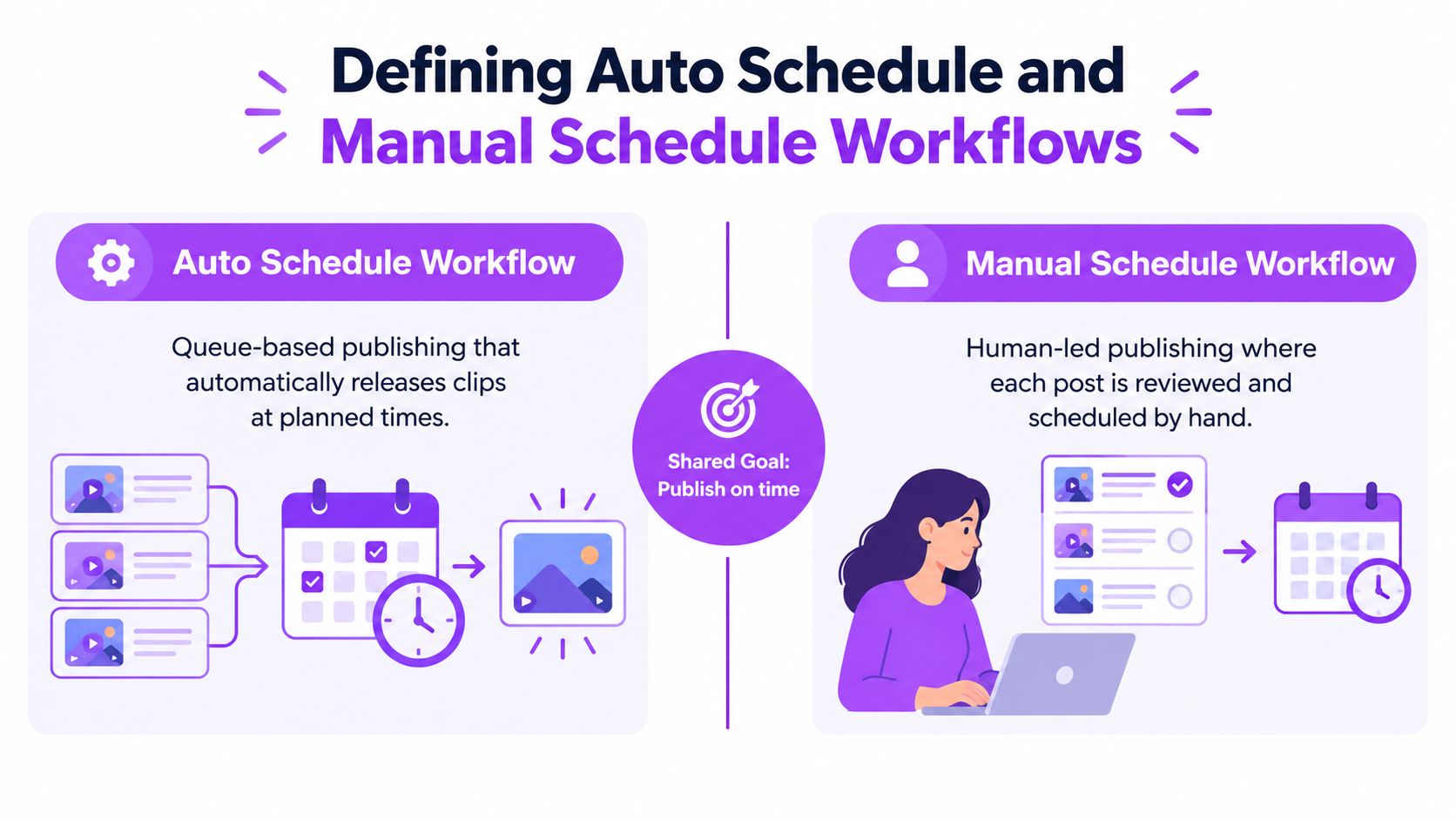
A manual schedule workflow keeps you inside each step. You log in to TikTok, upload, write or paste the caption, choose the time, and confirm. Then you repeat the process on YouTube Shorts and Instagram Reels, adjusting for each platform’s format and fields. Nothing moves unless you move it. That gives you direct control over every post, and it also makes your availability part of the publishing system.
What Each Model Asks of You
Setup is where the workflows first diverge. Automation asks for more decisions upfront, including which accounts are connected, what a normal posting week looks like, and which clips need approval before release. Manual scheduling asks for almost nothing upfront. You can start today with a folder of clips and a platform login.
During the week, the burden flips. An automated queue needs periodic review, not constant attendance. You check that upcoming posts look right, refill the queue before it empties, and intervene when something changes. A manual calendar needs attention at every slot. Miss the moment because you’re live, traveling, or editing, and the post either goes out late or doesn’t go out at all.
Errors expose another difference. In a manual workflow, you usually spot a problem because you’re holding the post in your hands, but fixing it across three platforms means repeating the work three times. In an automated workflow, you can pause or edit the queue in one place, but only if you’re looking at it. An unattended queue will faithfully publish a mistake on schedule.
Timing research also works differently in each model. A manual operator checks guidance post by post, while an automated setup bakes preferred windows into the queue rules. If you’re working out when to schedule LinkedIn content for a professional audience alongside your short-form clips, that distinction matters, because the queue needs those windows defined before it can use them.
Four variables decide which model fits you better. Labor is the hours you spend per post. Timing control is how precisely you can override a slot. Consistency is whether cadence holds when you’re busy. Recovery is how fast you can fix a failed or mistimed post. Keep those four in mind and the comparison stops being abstract.
Comparing Consistency, Labor, and Performance Side by Side
Labor is the easiest difference to measure. An industry benchmark reports that social media managers using scheduling tools save an average of 6.3 hours per week compared with manual posting, equivalent to approximately 328 hours annually, according to ScheduleWave’s social media scheduling statistics. Treat that as a planning benchmark, not a guarantee. It’s an industry figure rather than a peer-reviewed result, and your actual savings depend on posting volume, revision frequency, channel count, and how much quality control stays manual.
Even with that caution, the arithmetic is hard to ignore. 6.3 hours is a substantial slice of a working week, and 328 hours over a year is time that could go into streaming, editing, or rest. The gap widens with multi-platform distribution. One clip posted manually to TikTok, YouTube Shorts, and Instagram Reels means three logins, three uploads, three caption entries, and three timing decisions. An automated queue turns that into one preparation step with three destinations. If you’re evaluating tools for that job, it helps to compare schedulers for multiple social accounts on queue management and per-platform formatting, not just on price.
Auto vs Manual Scheduling at a Glance
| Factor | Auto schedule | Manual schedule |
|---|---|---|
| Labor per post | Low after setup, work happens in batches | High, every post repeats the full sequence |
| Timing control | Strong for planned slots, weaker for last-minute judgment | Complete, you decide each post in the moment |
| Consistency | Cadence holds while you’re live or offline | Cadence depends on your availability |
| Intervention needs | Review the queue, handle exceptions | Handle everything, every time |
| Recovery from failure | Pause or edit centrally, if you’re monitoring | Fix each platform separately by hand |
| Error pattern | A bad rule can repeat across many posts | Errors stay isolated but happen more often |
Consistency is automation’s quiet advantage. A queue doesn’t forget a slot because a stream ran long or an edit took all afternoon. For creators whose audience expects regular clips, that steadiness protects cadence during the weeks when production is heaviest. Manual scheduling can match it, but only with discipline that most solo operators can’t sustain indefinitely.
Consistency has a failure mode, though. A queue left unattended keeps publishing through situations where you would have paused. A clip that was fine on Monday can look tone-deaf on Thursday if news breaks, a collaboration falls apart, or your own community is arguing about something you said on stream. Manual scheduling catches those shifts naturally because you’re present for each decision.
Automation wins on repetition. Manual control wins on context. Most scheduling failures happen when a team asks one workflow to do the other’s job.
Performance follows from those mechanics rather than from the tool itself. Automation doesn’t make a weak clip perform. It makes a good clip more likely to go out on time, properly formatted, on every platform you intended. Manual scheduling doesn’t hurt a clip’s quality either. It raises the chance that a good clip goes out late, goes out on only one platform, or stays in a drafts folder because the week got away from you.
Setup Differences and the Metrics That Prove Results
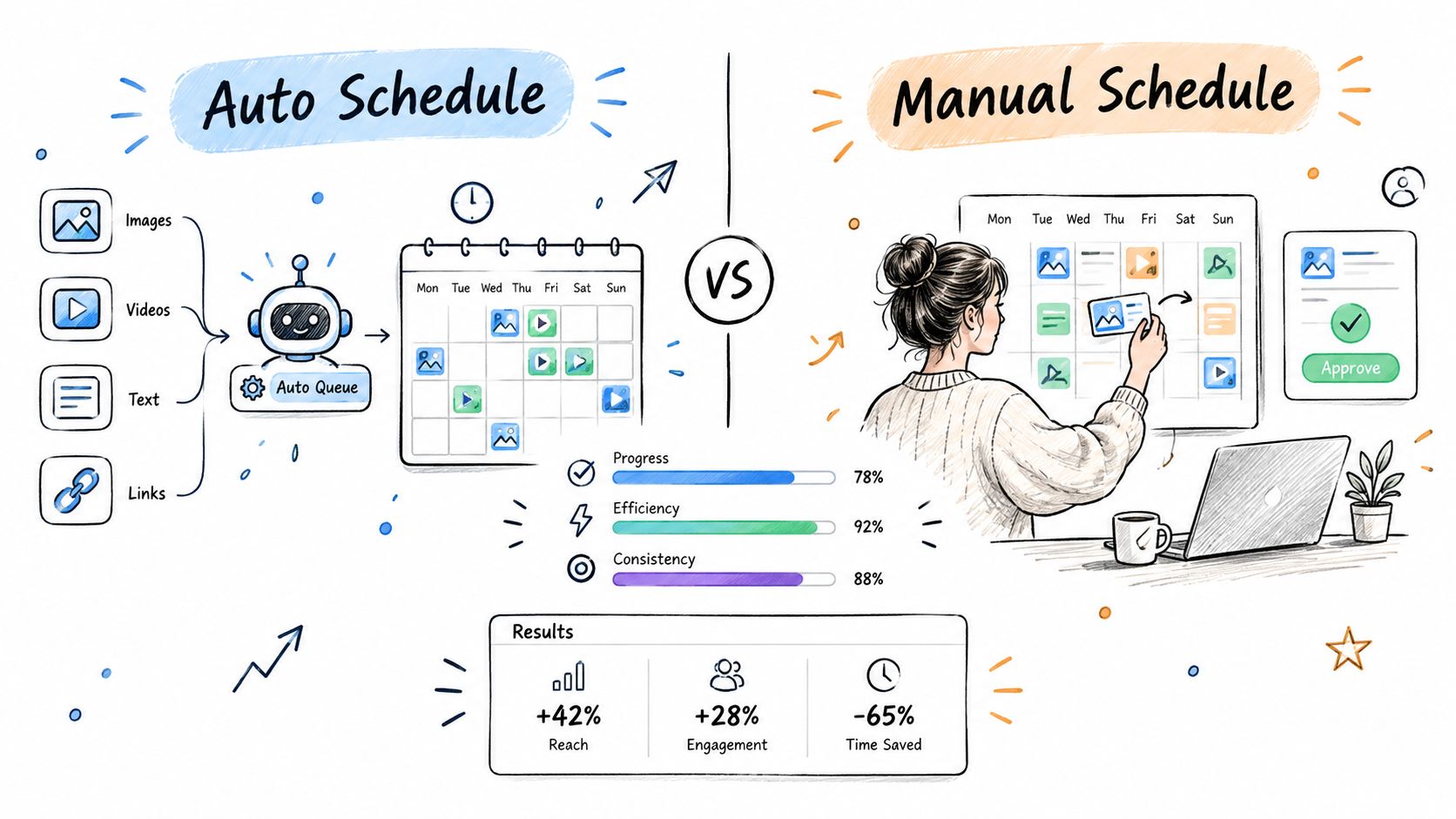
Automated setup is front-loaded. You connect each platform account once, define your posting windows, build the queue, set exclusions for content that should never auto-publish, and decide which posts need approval. You also confirm how overrides work and whether the system keeps an audit trail of what was scheduled, changed, and published. That last step gets skipped often, and it’s the one you want most when something goes wrong.
The visual below maps how setup choices connect to the results you can measure later.
Manual setup is lighter but never finished. There’s no configuration phase. There’s just the next post, and the next login, for as long as you publish. That simplicity suits very low volume. It stops suiting you when the recurring effort crowds out the work that grows the channel, which is the point where learning to auto post to social media from a central queue becomes an operations decision rather than a convenience.
Metrics That Show Whether It’s Working
Don’t judge automation by whether a calendar exists. Judge it by maintenance cost. Four metrics tell you most of what you need.
- Forecast versus actual publish timing: Are posts going out when the queue said they would, or drifting?
- Queue recovery time: After a failed post, how long until it’s rescheduled and the queue is whole again?
- On-time publish rate: What share of scheduled assets publish at their planned slot?
- Human edits per 100 scheduled clips: How often do you touch the queue, and is that number falling as your rules improve?
Evidence from adjacent fields supports measuring this way. A comparative AI project-management evaluation reported approximately 15-20% reductions in mean absolute error and root-mean-square error for task-completion-time predictions versus conventional CPM and Primavera P6 schedules, in a comparative evaluation of AI scheduling methods. Those are construction results, not social video forecasts. The transferable lesson is that automated systems can react to changed conditions faster than a hand-maintained calendar, while better average accuracy still doesn’t guarantee the right call on any individual item.
The walkthrough below shows what a queue-based setup looks like in practice before you commit to one.
Tool categories differ more than their marketing suggests, so structured comparisons help. Reading how reviewers compare SoundCloud scheduling tools for 2026 for audio creators, for instance, shows the same evaluation pattern you’d apply to video. Setup effort, override control, and recovery options matter more than feature counts. Build your setup around those, and the metrics above will tell you within a few weeks whether automation is earning its place.
When Automated Scheduling Fits and When It Does Not
Consider a solo Twitch streamer first. She broadcasts four evenings a week, pulls clips the next morning, and wants a steady presence on TikTok and Shorts while she’s offline or preparing the next stream. Her clips are gameplay highlights with predictable formatting and low controversy risk. This is automation’s best case. She batches a week of clips in one sitting, the queue maintains cadence during stream days, and she reviews upcoming posts with her morning coffee instead of uploading between matches.
Her manual moments are specific. A clip from a charity stream needs the donation link checked. A collaboration clip needs the other creator tagged correctly and timed to their announcement. A rage moment that was funny live might read as angry without the surrounding ten minutes. Those stay manual not because the queue can’t post them, but because she wants eyes on the context.
Three Operating Profiles
A freelance editor managing several streamer accounts faces a different shape of problem. Volume is higher, and each client has different brand rules, sponsor exclusions, and approval habits. Automation is almost mandatory for the distribution layer, because manual posting across multiple accounts and platforms would consume the hours he’s paid for, which is editing. But the queue rules can’t be shared carelessly. One client’s edgy humor is another client’s sponsor risk. The workflow that works is automated distribution with per-client approval gates, so nothing ships until the right person has seen it.
An esports team social manager sits at the manual end more often than either. Match-day content is time-sensitive in ways a queue can’t anticipate. A hype clip scheduled for the evening becomes awkward if the team loses in the afternoon. Sponsor posts carry contractual timing. Roster news breaks when it breaks. She’ll still automate the background layer, including evergreen highlights, player features, and off-day content. Anything tied to results, announcements, or obligations stays in her hands.
There’s a human limit underneath all three profiles. Adobe’s June 2025 survey of 433 business owners found that 70% felt burned out by content creation, 68% had taken a posting break because of fatigue, and 81% of TikTok-using respondents felt pressure to post daily, according to Adobe Express research on posting frequency and burnout. Patreon’s 2025 State of Create research likewise reports that creators feel pressured to produce constantly and believe platforms penalize reduced publishing.
That pressure distorts scheduling decisions. A burned-out creator doesn’t need a system that demands more clips to justify itself. They need one that maintains a sustainable cadence without daily attendance. Automation used well lowers the attendance requirement. Automation used badly just raises the expected output until the queue becomes another source of pressure. The fit question is therefore partly about workload design. If the tool doesn’t reduce the number of days you must personally touch publishing, it isn’t solving your actual problem, whatever it does to your per-post speed.
Designing a Hybrid Workflow with Human Checkpoints
For most creators and teams, the right answer to an auto schedule vs manual schedule project isn’t either option alone. It’s a semi-automated workflow where the queue owns repetition and people own judgment. That isn’t a compromise born of indecision. It reflects the state of the technology. A 2025 review of machine-learning methods for project scheduling found that research has improved subprocesses such as activity sequencing, duration estimation, and schedule optimization, but no method yet reliably automates the full end-to-end process, as described in a 2025 review of machine learning for project scheduling. Partial automation is the feasible path, and publishing is no exception.
The checklist below outlines the checkpoint structure that makes partial automation safe.
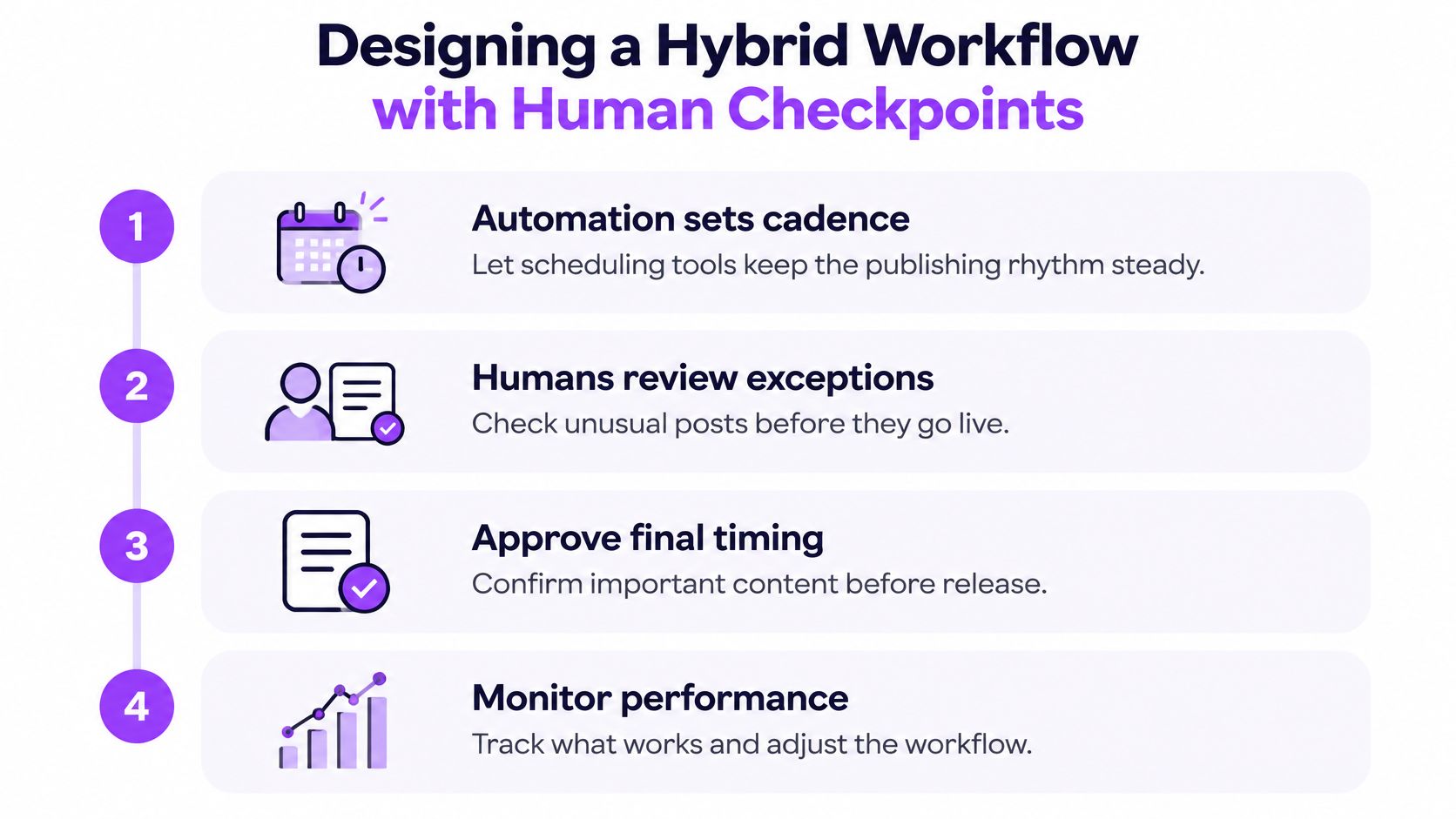
Start by sorting decisions into two piles. Low-risk execution can be automated safely. That includes queue management, time-zone conversion, cross-platform publishing, caption formatting from approved text, and refilling standard slots with approved clips. Errors here are visible and fixable, and they rarely change what a post means.
High-context decisions stay manual. Clip selection for anything sensitive belongs here, along with timing for launches and sponsor obligations. So does any clip that might misrepresent your intent, expose private information, contain a joke that needs the full conversation to land safely, or arrive at a bad moment after a controversy. If you wouldn’t want to explain the post to a sponsor or a parent, it doesn’t go out without a person approving it. Understanding how an Autopilot process handles find, edit, and post steps helps you see where those approval gates can sit inside an automated pipeline rather than outside it.
Escalation Rules Worth Writing Down
- Pause triggers: Breaking news in your community, a public dispute, a platform outage, or a personal emergency pauses the whole queue, not just one post.
- Approval triggers: Any clip involving another creator, a sponsor, a donation, or a minor requires named human approval before scheduling.
- Confidence triggers: If an automated clip selection looks borderline to whoever reviews it, it leaves the queue. Borderline doesn’t get published to keep cadence.
- Review rhythm: Check the next 48 hours of queued posts daily, and the full week once. Unreviewed content doesn’t publish.
- Override ownership: One named person can pause, pull, or reschedule anything, and the team knows who that is before match day or launch day.
Governance test: If a scheduled post could embarrass you, breach a contract, or misrepresent someone, the queue has too much authority. Pull that category back to manual approval.
These rules sound bureaucratic until the first time they save you. They’re what let automation run unattended through ordinary weeks without running unattended through extraordinary ones. Write them before you scale the queue, not after the first bad post teaches you why they exist.
Testing a Hybrid Queue with StreamGen Autopilot
A hybrid workflow needs tooling that keeps finding, editing, and posting in one place, because every handoff between separate apps reintroduces the manual steps you were trying to remove. StreamGen is built around that shape. Its AI Clip Finder analyzes full VODs, including streams of 8 or more hours, and ranks high-energy moments using gameplay, reactions, chat, and audio signals. The clip editor then handles vertical reframing, captions in 90+ languages, silence removal, and reusable brand presets, so approved clips arrive at the queue already formatted.
Auto Posting connects TikTok, YouTube Shorts, and Instagram Reels and publishes from the queue without downloading files. Autopilot orchestrates the find, edit, and post steps from one workspace and maintains the publishing queue while you’re live. That maps directly onto the hybrid model. The system owns the repetitive pipeline, and you keep manual review for the clips your escalation rules flag.
A Sensible First Week
Don’t hand over your whole calendar on day one. Run a limited test instead.
- Load a small queue: Queue one week of your lowest-risk content, such as standard gameplay highlights you’ve already reviewed.
- Keep sensitive posts manual: Anything involving sponsors, collaborators, or edgy humor stays hand-scheduled during the test.
- Check the metrics daily: Watch on-time publish rate, how often you edit the queue, and how fast you recover from any failed post.
- Review the escalation rules: Note every clip you pulled or wished you’d caught, and turn those into written approval triggers.
- Expand only after a clean week: If the queue held cadence without surprises, widen what it’s allowed to publish unattended.
Pricing keeps the test low-risk. A free tier is available with lower limits, and paid plans start at €5.49 per month, so you can validate the workflow before committing real budget. What you’re really testing isn’t the software. It’s your governance. If your checkpoints catch the right clips and the queue carries the ordinary load, you’ve found the balance that neither pure automation nor pure manual scheduling reaches on its own. If the test week shows you’re intervening constantly, that’s useful information too. It means your content carries more context risk than average, and your manual share should stay higher by design rather than by default.
Ready to test a hybrid queue without giving up control of sensitive clips? StreamGen finds and edits your strongest stream moments, then schedules them across TikTok, YouTube Shorts, and Instagram Reels while you keep approval over what matters. Start with a small, low-risk queue this week and expand only when your checkpoints prove they work.
More blog posts
