Choosing the right tool to convert your Twitch clips into vertical videos can be the difference between going viral and getting zero views. With so many options available in 2025, it’s hard to know which one is worth your time and money.
We’ve tested the most popular converters on the market to bring you this definitive ranking. We evaluated them based on video quality, AI features, ease of use, and pricing.
1. StreamGen (Best Overall)
The Winner: StreamGen takes the top spot for its perfect balance of powerful AI features and affordable pricing. It’s designed specifically for streamers who want to grow fast without spending hours editing.
Key Features:
- AI Auto-Clip: Automatically finds optimal clip segments.
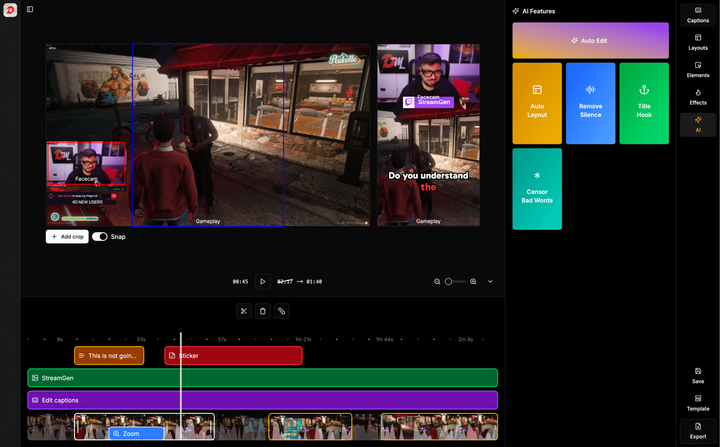
- Smart Layouts: Keeps facecam and gameplay perfectly aligned.
- Viral Captions: Offers trending caption styles seen on top accounts.
- Silence Removal: automatically cuts dead air to keep retention high.
- Content Scheduler: Post directly to TikTok and YouTube Shorts.
Verdict: The best all-in-one solution for serious content creators.
2. StreamLadder
The Runner Up: StreamLadder is a veteran in the space and a solid choice. It offers a clean interface and reliable conversion.
Key Features:
- Simple drag-and-drop editor.
- Decent free tier (with watermarks on higher quality exports).
- Sticker library.
Cons:
- Many essential features (like high-quality export) are locked behind a paywall.
- Lacks some of the more advanced AI editing features found in StreamGen.
Verdict: Great for beginners, but can get expensive if you need pro features.
3. Eklipse.gg
The Premium AI Option: Eklipse.gg focuses heavy on AI automation to find highlights from your VODs.
Key Features:
- AI Highlight Detection: Scans long streams to find kill streaks or funny moments.
- Voice-based clipping: Can detect specific words.
Cons:
- Price: It is one of the more expensive options on the market.
- Processing Time: AI analysis can take a while for long streams.
Verdict: Powerful but pricey. Good if you have zero time to watch your own VODs.
4. Cross Clip (by Streamlabs)
The Mobile Choice: If you prefer editing on your phone, Cross Clip has a solid mobile app.
Key Features:
- Good mobile integration.
- Integrates well if you already use Streamlabs ecosystem.
Cons:
- Watermark on the free version.
- Desktop editor feels a bit clunky compared to web-based competitors.
Verdict: Best for streamers who want to edit on the go.
5. Nexus Clips
The Community Choice: Nexus Clips offers some unique features for community collaboration.
Key Features:
- Allows community members to help clip and edit.
- Cloud-based editing.
Cons:
- Interface can be a bit overwhelming for new users.
- Feature set is more focused on community than pure editing speed.
Verdict: innovative, but might be overkill for solo creators.
Comparison Table
| Feature | StreamGen | StreamLadder | Eklipse.gg |
|---|---|---|---|
| AI Captions | ✅ | Paid | ✅ |
| Silence Removal | ✅ | ❌ | ❌ |
| Scheduler | ✅ | ❌ | ✅ |
| Pricing | $ | $$ | $$$ |
| Watermark (Free) | No | Yes | Yes |
Conclusion
While all these tools can help you convert clips, StreamGen stands out as the best value for money in 2025. It combines the advanced AI features of expensive enterprise tools with the ease of use of simple editors.
Stop wasting time with complex workflows. Start creating viral content with StreamGen today.
More blog posts